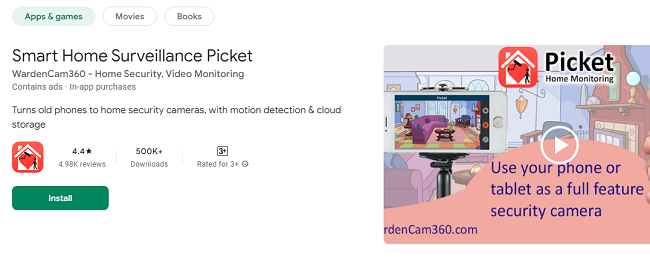
Smart Home Surveillance Picket App - Turn Old Phones into Security Cameras
Do you have an old smartphone or tablet lying around gathering dust? Instead of letting it waste away, why not put it to good use? Smart Home Surveillance Picket App offers a simple, cost-effective solution by turning your spare devices into a high-tech home surveillance system. Whether you want to monitor your home, check if a package has arrived, keep an eye on your pets, or ensure your kids are safe, Picket provides peace of mind with easy-to-use features and reliable connectivity.
Why Choose Picket?
Smart Home Surveillance Picket is designed to make home surveillance accessible, affordable, and straightforward. Unlike traditional surveillance systems that can be costly and difficult to install, Picket leverages the power of your old smartphones or tablets. Here’s what makes Picket stand out:
Cost-Effective Solution: No need to buy expensive cameras. Use your old Android devices running Gingerbread 2.3 or higher.
Simple Setup: No complicated installation required—just download the app, sign in, and you’re ready to go.
Advanced Features: Motion detection, cloud storage integration, and two-way audio make it a versatile tool for any home.
Remote Access: Monitor live feeds from anywhere with an internet connection using WiFi, 3G, or 4G LTE.
Features of Smart Home Surveillance Picket App
24/7 Live Monitoring
Picket allows continuous live streaming from your designated camera device to your viewer device. Install Picket on both devices, sign in with the same Google account, and position your camera where it’s most needed—whether in the living room, garage, or baby’s nursery. You can view the live stream from your pocket phone anytime, anywhere.
Motion Detection with Alerts
Stay informed without needing to constantly watch the feed. Picket’s intelligent motion detection triggers alerts when movement is detected. You’ll receive instant notifications via the app and email. For added security, a siren alarm can be activated to deter intruders.
Cloud Storage Integration
Automatically upload motion-detected video clips to Google Drive or Dropbox for secure storage and easy playback. With Picket’s cloud integration, you’ll have access to event recordings from anywhere, ensuring you never miss important moments.
Two-Way Audio
With Picket’s two-way audio feature, you can communicate directly through the camera device. Whether you need to comfort your pet, greet a visitor, or warn an intruder, the two-way audio allows for real-time interaction.
High-Quality Video & Audio
Enjoy crystal-clear video and audio quality. Picket supports Ultra High Definition (UHD) streaming, ensuring you won’t miss any details, even in low-light conditions.
Customizable Scheduling
Picket allows you to schedule motion detection at specific times, ensuring that monitoring fits seamlessly into your daily routine. Set it to activate during work hours, at night, or any time you choose.
How to Download Smart Home Surveillance Picket App?
Setting up Picket is quick and hassle-free. Follow these steps to get started:
Step 1: Prepare Your Devices
Ensure you have two Android devices: one to act as the camera and the other as the viewer.
Both devices should be connected to the same Google account.
Step 2: Download Picket
Open Google Play Store on both devices.
Search for “Smart Home Surveillance Picket” and install the app on both devices.
Step 3: Configure the Camera Device
Open Picket on the device you’ll use as the camera.
Select the “Camera” option and log in with your Google account.
Position the camera device in the desired location with a clear view.
Step 4: Configure the Viewer Device
Open Picket on the device you’ll use as the viewer.
Select the “Viewer” option and log in with the same Google account.
You’ll now be connected to the live feed from your camera device.
How to Use Smart Home Surveillance Picket App Effectively?
Live Monitoring: Open the viewer app to check the live feed anytime.
Motion Detection: Enable motion detection in the app settings to receive alerts.
Cloud Storage: Link your Google Drive or Dropbox account for secure storage of motion-detected events.
Two-Way Audio: Tap the microphone icon in the viewer app to speak through the camera device.
Frequently Asked Questions (FAQs)
1. Is Picket free to use?
Yes, the basic version of Picket is free. However, for 24/7 surveillance and additional premium features, a one-time upgrade fee of $6.99 is required.
2. What devices are compatible with Picket?
Picket works on Android devices running version 2.3 (Gingerbread) or higher.
3. How do I receive motion alerts?
Motion alerts are sent instantly via the app and email when motion is detected. Ensure notifications are enabled in your device settings.
4. Can I record continuously?
Yes, Picket offers a 24/7 recording option that can be enabled in the settings. Recordings can be stored locally or uploaded to cloud storage.
5. How secure is the Picket app?
Picket uses encrypted connections for video streaming and cloud uploads, ensuring your data remains secure.
6. Can I use Picket on multiple viewer devices?
Yes, you can access the camera feed from multiple viewer devices as long as they are signed in with the same Google account.
7. What if I encounter login issues?
Try logging in on the same WiFi network first. If issues persist, contact support at support@wardencam360.com.
Conclusion
Smart Home Surveillance Picket is a powerful yet simple solution for transforming old devices into a home surveillance system. With features like motion detection, cloud storage, two-way audio, and high-definition video, it offers peace of mind at an unbeatable value. Whether you’re at work, on vacation, or just in another room, Picket keeps you connected to your home and loved ones. Upgrade today for full access and enjoy the confidence of knowing your home is always under watch.